Characters 101: How to Build Stories with Characters & Get AI to Remember Them
March 18, 2026
•
cat
Every story needs characters. But there’s a big difference between typing “a hot vampire” into your prompt and giving RedQuill a fully realized person to write.
Characters you build stick around across chapters, stay consistent, and behave the way you want them to.
Here’s how to get the most out of them.
Two Ways to Create a Character
During story creation
When you start a new story, you’ll see a Components tab in the creation dialog. Tap into it and you can search for existing characters, browse ones you’ve used before, or create a new one on the spot.
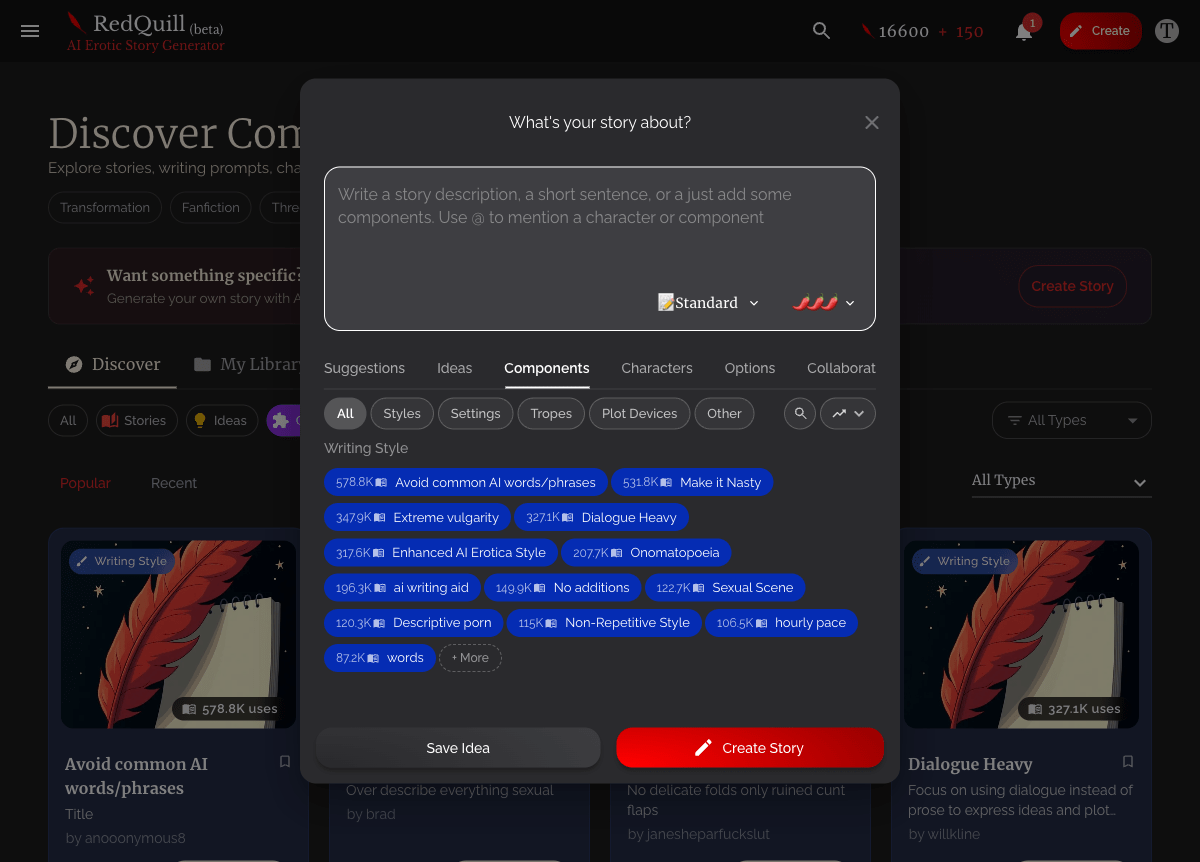
RedQuill will also suggest AI-generated characters based on your story idea. If one catches your eye, select it and it gets added to your story. You can customize it before saving.
From the Discover page
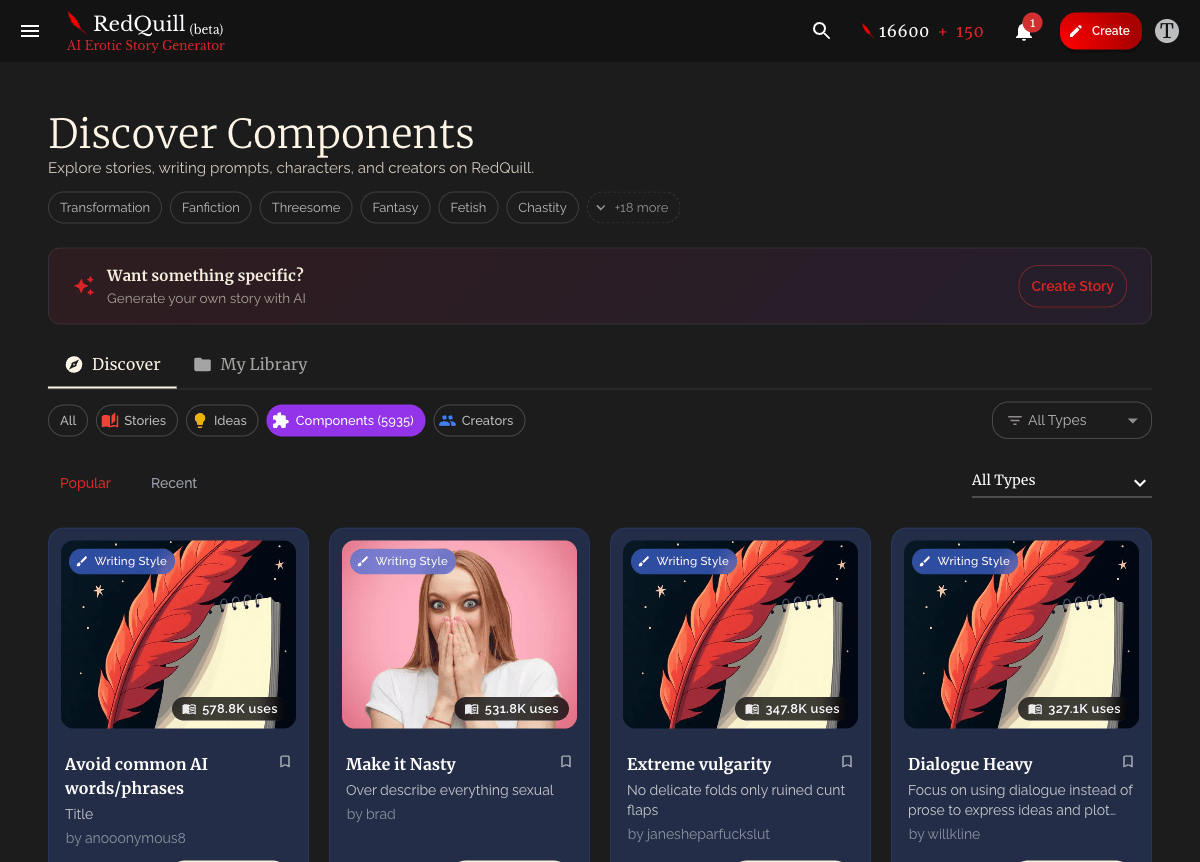
Head to Discover Components and filter by Characters. You can browse what other RedQuillers have published, or hit Create to build one from scratch. Characters you create here go into your library and can be reused across any story.
What Makes a Good Character
Every character has three fields that matter:
- Name: what you and other users see
- Tagline: a short phrase that shows up on the character card
- Description (Instructions for AI): this is the one that counts
The name and tagline help you find and organize characters. But the description is what the AI actually reads when writing your story. Everything you want the AI to know about this person goes here.
A description that gives you generic results:
A dominant woman who is confident and mysterious.
The AI can technically work with this. But it’s going to fall back on every cliche in the book.
A description that gives you a real character:
Maren is a 34-year-old architect with a calm, deliberate presence. She speaks slowly and precisely, never raises her voice, and holds eye contact longer than most people are comfortable with. She’s dominant but never performative about it. Control is just how she operates. She wears structured clothing, keeps her dark hair in a low bun, and has a small tattoo on her inner wrist she never explains. When she’s interested in someone, she asks pointed questions and listens closely. When she’s aroused, her composure stays intact but her breathing changes and she becomes physically deliberate. She doesn’t do pet names unless she means them.
The second version gives the AI specific behaviors, speech patterns, physical details, and emotional tells. That’s what makes your story feel like it has a real person in it.
What to put in your description
- Physical details the AI can reference in scenes (height, hair, distinguishing features)
- How they talk (formal? blunt? sarcastic? quiet?)
- Emotional tells (“when nervous, she fidgets with her ring”)
- How they act when aroused, angry, or vulnerable — this is where adult stories live, so be specific
- Habits and tics (cracks knuckles, bites their lip, paces)
- Boundaries and limits — what they would and wouldn’t do
- How they relate to other characters — dominant, submissive, switches, complicated
The more specific you are, the less the AI has to guess.
Managing Your Characters
Visibility
Every character starts as Private by default. Only you can see and use it. When you’re happy with how it performs in stories, you can change visibility to:
- Unlisted — anyone with the link can see it, but it won’t show up in search
- Public — shows up on Discover for the whole community to use
If your account is set to private, all your characters stay private too.
Editing
You can update a character’s name, tagline, description, tags, and image at any time from your library. One thing to know: if a character is already attached to a story, that story keeps the version of the description from when you added it. Edits apply to future stories, not existing ones.
Images
You can upload an image for your character or let RedQuill generate one with AI. The first AI-generated image is free. Character images show up on cards and the Discover page, making your character more browsable.
Tags
Add tags to make your character easier to find. Tags are searchable on the Discover page, so if you publish a character, good tags help other people find it.
Using Characters in Stories
Adding characters when you create a story
The easiest way. Open the Components tab during story creation, search or browse, and select the characters you want. Their full descriptions get sent to the AI when your chapters are generated.
You can add multiple characters. 2-4 well-described characters is a sweet spot. Too many competing descriptions and the AI starts losing focus on individual details.
The Lorebook (managing characters mid-story)
Once your story is underway, the Lorebook is where you manage your cast. You’ll find it in the story editor.
From the Lorebook you can:
- See all characters currently in your story
- Add new characters manually or from your library
- Edit story-specific details — change a character’s name or description for just this story without affecting the original component
- Remove characters you don’t need anymore
RedQuill also auto-detects new characters as they appear in your chapters. If the AI introduces someone new, they’ll show up in your Lorebook automatically so you can flesh them out or link them to an existing character from your library.
Roleplay mode
In Roleplay mode, you can select which character is “speaking” from a dropdown. This lets you have back-and-forth dialogue and scenes from specific characters’ perspectives. You can also let the AI pick who speaks next by choosing the Default option.
Characters from other users
Found a character on Discover that fits your story perfectly? Just add them. Public characters created by other RedQuillers work exactly like your own. You can also use them as inspiration and create your own version.
Pro Tips
Describe how characters react to each other. If you have two characters with tension, describe it in both descriptions. “She finds his arrogance infuriating but can’t stop staring at his hands” in one, “He deliberately provokes her because her anger turns him on” in the other. The AI picks up on these dynamics.
Use “do not” instructions. “She never uses pet names” or “He does not initiate physical contact first” are just as useful as positive descriptions. Boundaries make characters feel real
Start private, publish later. Test your character in a couple of stories first. See how the AI handles them. Tweak the description based on what works, then share it when you’re confident.
Pair characters with other component types. A great character in a great setting with a specific writing style is where RedQuill really shines. Check out Story Components 101 for more on settings, tropes, and writing styles.
Write in present tense. The AI treats your description as current facts. “She wears red lipstick” works better than “She wore red lipstick.”
Get Started
You can browse community characters right now or create your first one during your next story. Start with one detailed character and see how much it changes the experience.
Generic prompts give you generic stories. A well-built character gives you yours.
Share this article
Share this article (for the bold)
Ready to generate your own erotica?
Turn your fantasies into personalized AI‑generated stories in seconds with RedQuill.
Start generating now RedQuill